
JSON Validator
Validate, beautify, and format JSON instantly with detailed syntax error detection directly in your browser.
Related Tools

JSON Validator
JSON Validator: The Free Online Tool to Validate, Format, and Fix Your JSON
Use our free online JSON validator to check, format, and fix broken JSON instantly. No signup, no installs — just paste and validate in seconds.
If you’ve ever stared at a wall of red error text because of one missing comma in your JSON file, you already know why a good JSON validator matters. A single stray bracket or an extra quotation mark can break an entire API response, a config file, or a data pipeline — and finding that one bad character by eye is nobody’s idea of a good afternoon.
That’s exactly the problem InspoTool’s JSON Validator is built to solve. Paste your JSON, click validate, and you’ll know in seconds whether it’s clean or exactly where it broke. No downloads, no command-line tools, no waiting around.
Have you ever spent twenty minutes hunting for a missing curly brace? Let’s make sure that never happens again.
What Is a JSON Validator?
A JSON validator is a tool that checks whether your JSON (JavaScript Object Notation) data follows correct syntax rules — proper brackets, quotes, commas, and key-value formatting. Think of it as a spell-checker, but for structured data instead of sentences.
You’ll typically need one when you’re debugging an API response, cleaning up a configuration file, preparing data for a database import, or double-checking output from a script before it goes into production. Developers use an online JSON validator daily, but you don’t need to be a programmer to benefit from one — anyone working with data files runs into malformed JSON sooner or later.
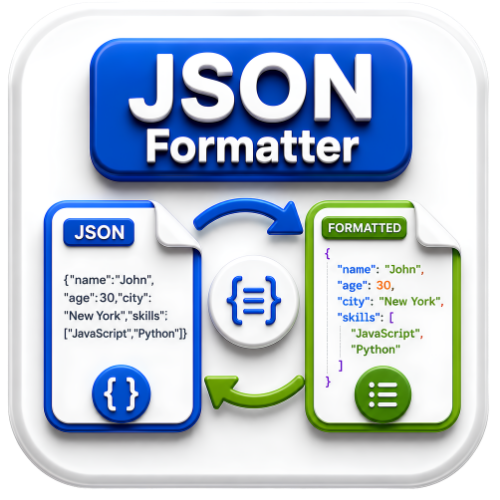
InspoTool’s tool works as both a json validator and formatter, meaning it doesn’t just flag errors — it also cleans up messy, unindented JSON into a readable, properly nested structure. That’s a big deal when you’re reviewing a huge nested object and everything is jammed onto a single line.
| Specification | Details |
|---|---|
| Supported Input | JSON text, .json files |
| Output Format | Formatted / Validated JSON |
| Processing Time | Under 2 seconds |
| File Size Limit | Up to 10 MB |
| Cost | 100% Free |
Key Features of JSON Validator on InspoTool
InspoTool’s json validator tool is completely free, with no hidden charges, ever — and there’s no account or signup required to use it. Everything runs directly in your browser, which means your data never actually leaves your device to sit on some third-party server. Once you close the tab, your file is gone; nothing is stored, and there are zero watermarks on any output.
What sets this apart from a basic json validator online checker is that it doubles as a json validator and corrector. When it detects an issue — a trailing comma, an unescaped quote, a missing bracket — it tells you exactly which line and character caused the problem, so you’re not guessing. It also works as a json validator with schema, letting you validate your data structure against a defined JSON Schema, which is useful if you’re checking API payloads or ID-based records for compliance.
It works identically on mobile, tablet, and desktop, and results are delivered in seconds regardless of file size. Compared to tools like JSONLint or desktop-based IDE plugins, InspoTool keeps things lightweight and accessible from anywhere.
| Feature | InspoTool | Other Tools |
|---|---|---|
| Always Free | Yes | Limited/Paid |
| No Signup Needed | Yes | Usually No |
| No Watermarks | Yes | Often Added |
| File Privacy | Auto-deleted | Varies |
| Mobile Friendly | Yes | Sometimes |
How to Use the JSON Validator — Step by Step
Using this online json validator and formatter takes less time than it took to read this sentence. Here’s exactly how it works.
- Open the tool. Head to the JSON Validator page on InspoTool.com. You’ll see a large text box ready for input.
- Paste or upload your JSON. You can paste raw JSON text directly, or upload a
.jsonfile if you’d rather not copy-paste large data. - Click “Validate.” The tool scans your data instantly and tells you whether it’s valid — and if not, exactly where the error sits.
- Review and fix. If there’s an issue, you’ll see a clear line-and-character reference. Fix it in the box, and re-validate with one click.
- Format or copy the result. Once it’s valid, you can auto-format it into clean, indented JSON and copy or download the output.
Was that easier than you expected? Drop a comment below and let us know how it worked for your project.
Real-Life Use Cases — Who Actually Needs This Tool?
Developers debugging API responses are probably the most frequent users — when a backend call fails silently, checking the raw JSON payload is often the first troubleshooting step. A schema json validator check can quickly confirm whether the response actually matches what the frontend expects.
Students and self-taught coders learning web development often run into cryptic syntax errors while working with JSON in JavaScript projects. Instead of guessing, they can paste their code into an online json validator tool and get an immediate, specific answer.
Freelancers and data analysts frequently deal with exported JSON from third-party platforms — CRM exports, analytics dumps, or app configuration files — and need a fast json validator online free option before importing that data anywhere important.
Business owners and accountants in India filing e-invoices have a very specific use case: government e-invoicing portals require strict JSON formatting before submission. An e invoice json validator or gst json validator check helps confirm the structure is correct before upload, avoiding rejected submissions. Similarly, developers building for Apple platforms sometimes need to double-check configuration or plist-adjacent JSON structures — an apple json validator style check — before pushing an app update.
This is exactly the situation many people find themselves in — one bad file away from a failed submission or a broken build. Sound familiar?
Common Mistakes People Make With JSON
Even experienced developers trip over a handful of recurring issues. Knowing them ahead of time saves a lot of debugging time.
- Trailing commas. JSON does not allow a comma after the last item in an object or array — unlike JavaScript objects, which sometimes tolerate it.
- Single quotes instead of double quotes. JSON strictly requires double quotes around keys and string values.
- Unescaped special characters. Characters like backslashes or quotation marks inside a string need proper escaping.
- Missing or mismatched brackets. One unclosed
{or[can invalidate an entire file, even if everything else is correct. - Comments in JSON files. JSON doesn’t support comments at all — not
//, not/* */— which surprises people coming from JavaScript or JSON5.
Best Practices for Clean, Valid JSON
- Run your file through a json validator and formatter online before deploying or submitting it anywhere.
- Keep your JSON structure consistent — same key naming conventions throughout the file.
- Use a json validator with schema when working with strict data contracts, like APIs or government portals.
- Format nested objects with proper indentation for easier manual review later.
- Validate early and often, rather than writing the entire file and checking it once at the end.
Why Use an Online JSON Validator Instead of Installing Software?
Desktop JSON validation tools and IDE plugins work fine, but they come with real friction: installation time, storage space, version updates, and often platform restrictions (a Windows-only tool doesn’t help much on a Chromebook). A browser-based json validator and fixer skips all of that.
| Tool Site | Free Plan | No Signup | No Watermark | Privacy |
|---|---|---|---|---|
| InspoTool | Always | Yes | Yes | Auto-delete |
| Desktop IDE Plugin | Varies | N/A | N/A | Local only |
| Enterprise Validators | Paid | Required | N/A | Account-based |
| Command-line Tools | Free | N/A | N/A | Local only |
Command-line tools like jq or IDE-based linters are genuinely great for developers who live in a terminal all day. But if you just need a quick answer — is this JSON valid or not? — opening a browser tab beats installing a package, updating a dependency, or remembering command syntax you use twice a year.
Try it yourself and see the difference — for a one-off check, an online json validator and corrector is almost always the faster path.
Free JSON Validator Online FAQs
Q : Is the JSON validator completely free to use online?
Ans : Yes, InspoTool’s JSON validator is 100% free with no hidden fees, subscriptions, or usage limits for standard files.
Q : How to use a JSON schema validator on InspoTool?
Ans : Paste your JSON data along with your schema definition into the tool, and it will check whether your data structure matches the schema’s required fields, types, and formatting rules.
Q : Can I validate JSON without installing any software?
Ans : Absolutely. InspoTool’s json validator tool runs entirely in your browser, so there’s nothing to download or install on any device.
Q : What does “invalid JSON” actually mean?
Ans : It means the syntax breaks one of JSON’s strict formatting rules — commonly a missing comma, bracket, or incorrect quotation marks — and the validator will point to the exact location of the problem.
Q : Does this tool work as a JSON validator and formatter together?
Ans : Yes. Once your JSON passes validation, you can instantly reformat it into clean, properly indented text using the same tool.
Q : Is this suitable as a GST JSON validator for e-invoices?
Ans : Yes, many users check their e-invoice JSON structure here before uploading to government portals, since a gst json validator style check helps catch formatting errors that would otherwise cause a rejected submission.
Q : Can I validate JSON with an ID field or nested ID structures?
Ans : Yes — an Id json validator check works the same way for records containing ID fields, arrays of IDs, or nested identifier objects; the tool checks structure regardless of your specific field names.
Q : Is my uploaded JSON data stored anywhere?
Ans : No. Files and pasted data are processed in your session and are not retained afterward, which keeps your data private.
Q : Does the tool support large JSON files?
Ans : Yes, files up to 10 MB are supported, which covers the vast majority of API responses, config files, and data exports.
Q : Can this replace a desktop JSON validator entirely?
Ans : For most everyday needs — checking syntax, formatting, and basic schema validation — yes. Developers working on highly specialized, offline, or air-gapped systems may still prefer local tools for those specific cases.
JSON Validator Online Free Final Thoughts
Broken JSON is one of those small annoyances that can quietly derail an entire afternoon of work. A reliable json validator online takes that friction away — you paste your data, get a clear answer, and move on with your day. Whether you’re debugging an API, formatting a config file, or double-checking a GST e-invoice before submission, InspoTool’s JSON Validator gives you a fast, free, and private way to get it right the first time.